
Build your docs in one go.Never let them fall behind again.

Point Doxloop at your code or API spec. Your coding agent writes the whole docs site, and whenever your code changes, Doxloop drafts the update for you to approve.

See it in action

Your code

  • src/routes/billing.ts
  • openapi.yaml
  • internal/auth/session.go
  • tests/webhooks.spec.ts
  • docs/quickstart.md
Written byClaude Code

Your docs

QuickstartAuthenticationWebhooksBilling APITroubleshooting
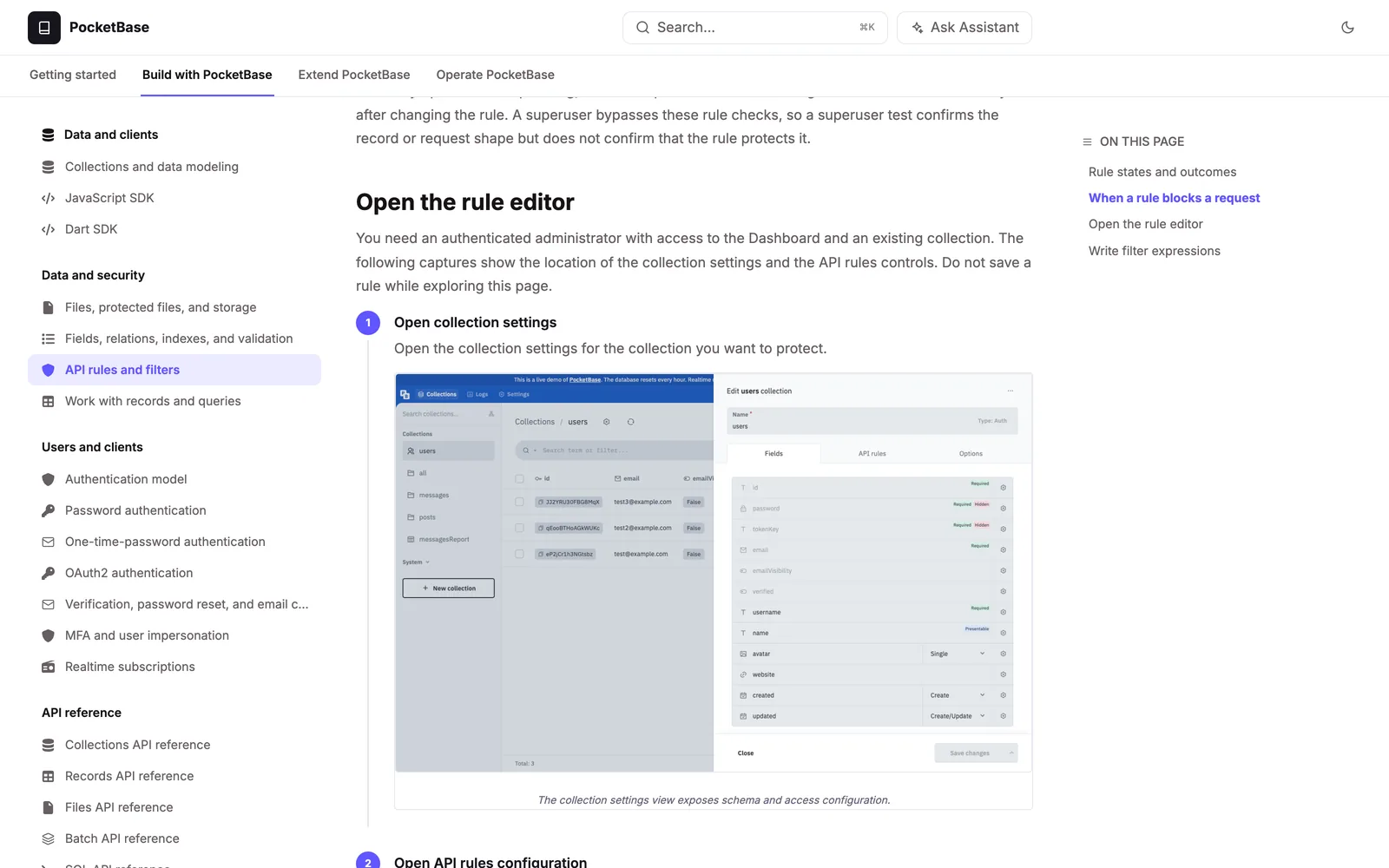
AuthenticationVerified against the code
  1. In Source code, an OpenAPI spec, or the docs you have today
  2. Loop Your agent plans, writes, screenshots and checks every page
  3. Out A reviewed docs site, published and kept current

Every week your product ships. Every week your docs fall a little further behind. Doxloop closes the loop: your agent reads the code, writes the pages, captures the screenshots and checks every link. You review. You publish. Doxloop keeps watching.

See it in action

See one real run, start to finish.

PocketBase, from its GitHub repository and its existing docs site: 47 pages written, 51 old pages audited, and live on Doxbrix in under a minute.

How it works

One loop, from code to published docs.

Six steps in one browser window. Your agent does the research and the writing. You make every decision.

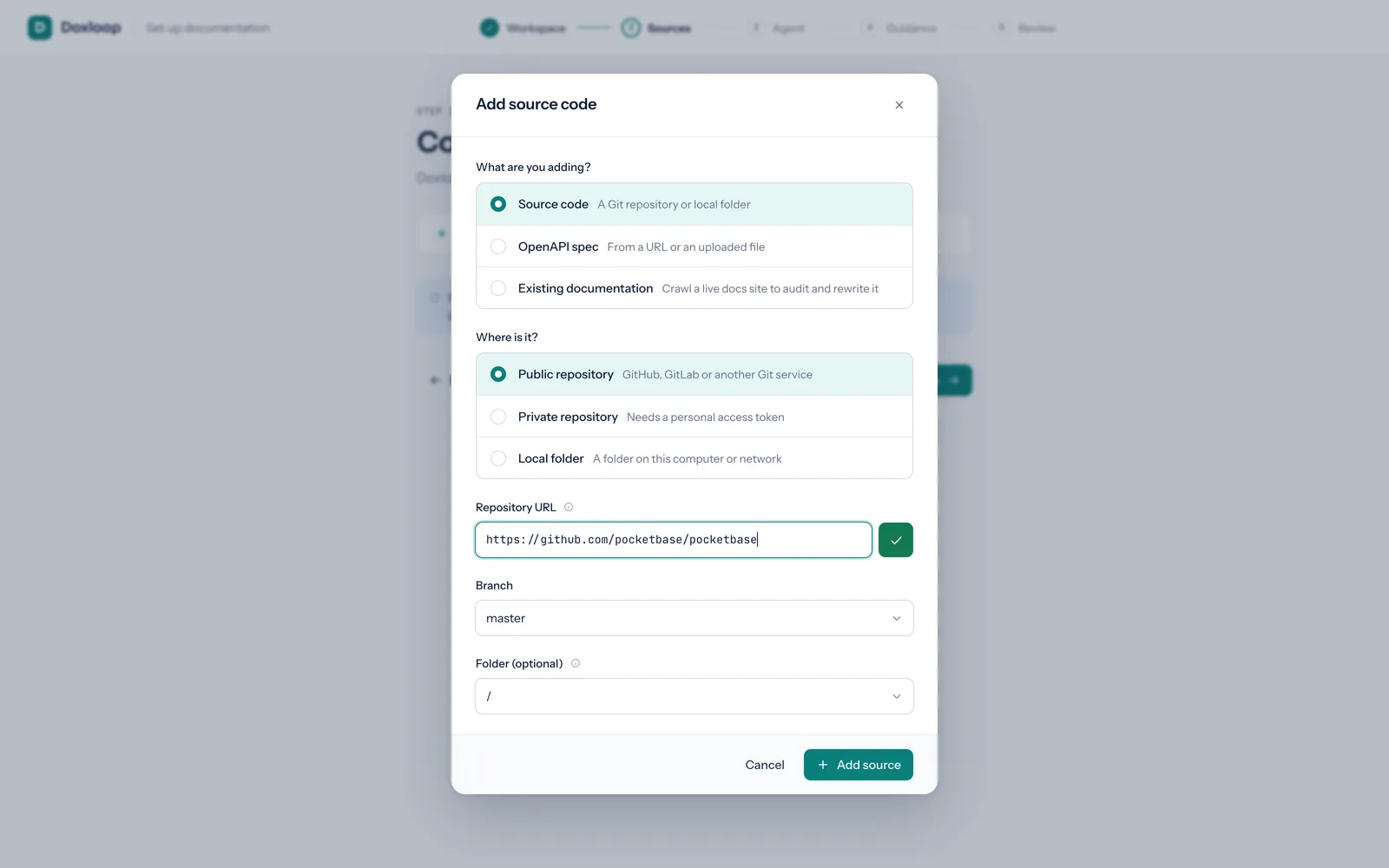
01/ 06 · Connect

Point it at what you already have.

Add a local folder or Git repository, an OpenAPI spec, or the docs site you publish today. Sources are read-only snapshots. Doxloop never writes to your product.

  • Local folder
  • GitHub
  • OpenAPI URL
  • Existing docs site
The Add source code dialog with a GitHub repository connected

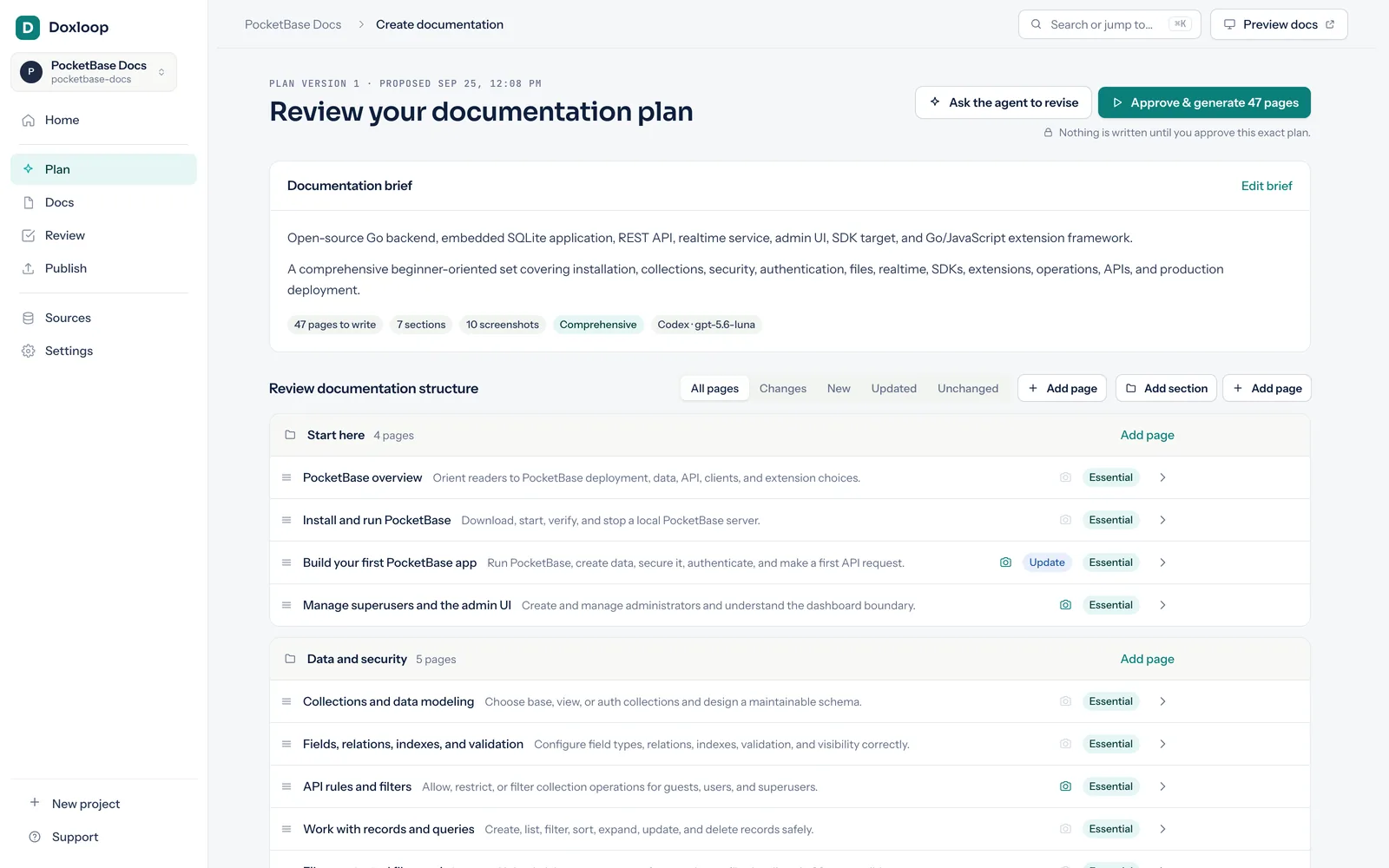
02/ 06 · Plan

A plan before a single word.

Your agent researches the evidence in parallel, audits the pages you already have, and proposes readers, pages and navigation. Edit it, or ask for changes in plain language. Nothing is written until you approve.

  • Parallel research
  • Existing docs audit
  • Editable structure
Review your documentation plan, with the brief and the proposed page structure

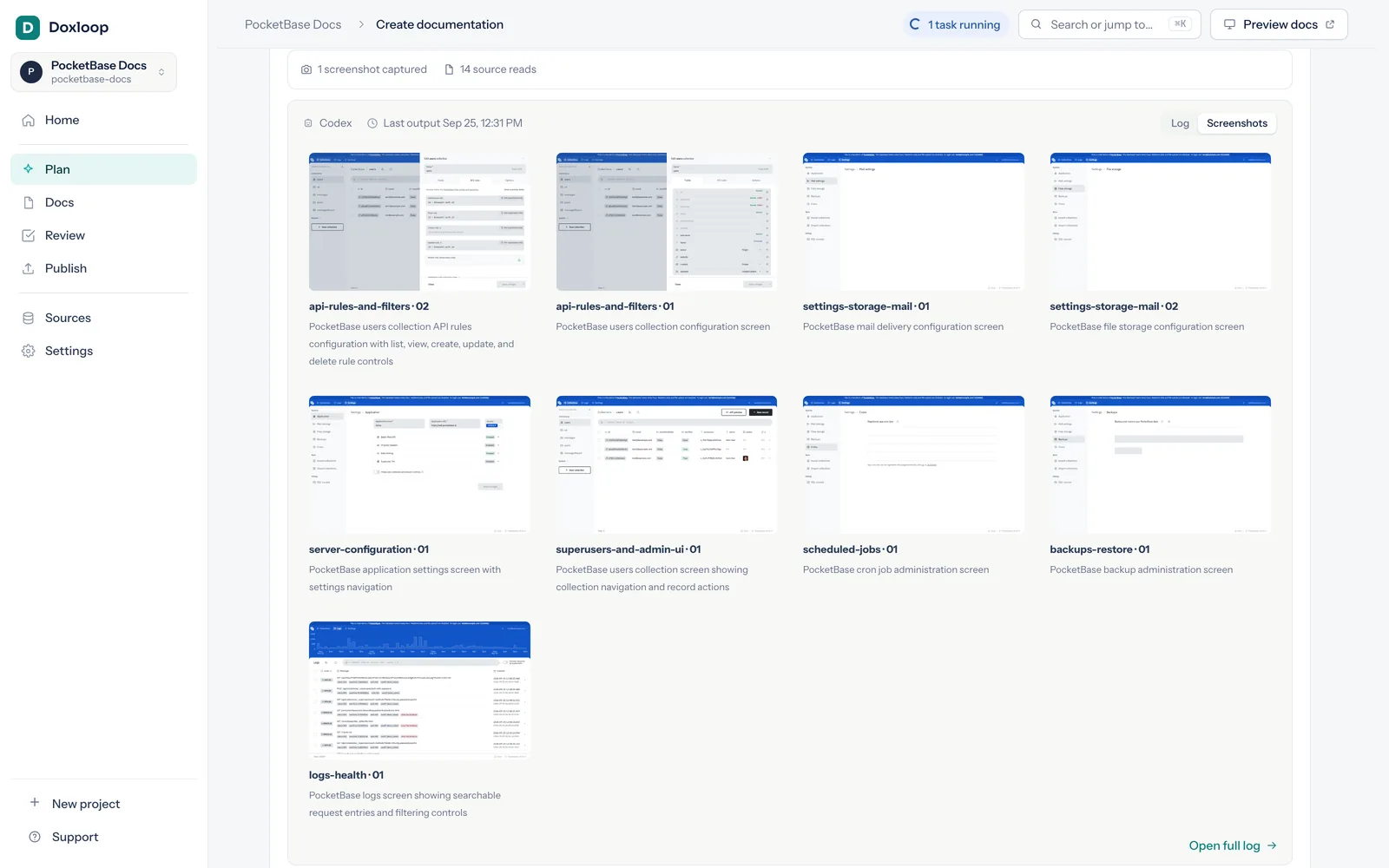
03/ 06 · Write

Written in an isolated workspace.

Complete, ready-to-publish pages, with real screenshots from your running app, even behind a sign-in. Watch every stage live, and stop whenever you like.

  • Complete pages
  • Verified screenshots
  • Live activity
Live writing activity with a gallery of captured application screenshots

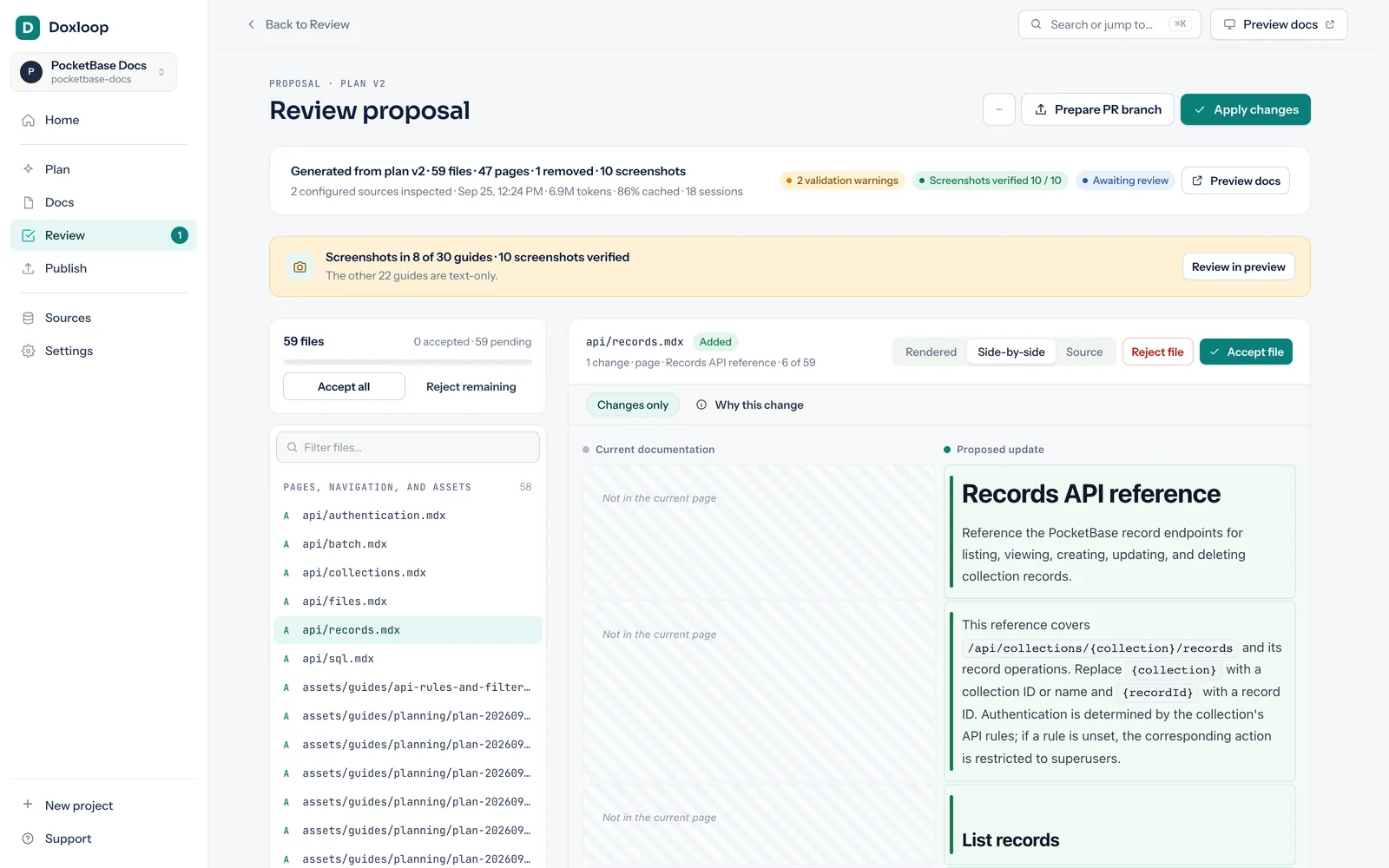
04/ 06 · Review

Nothing ships until you say so.

Compare rendered pages and source side by side. Read why each change was made and the evidence behind it. Accept one change, one file or everything, or ask the agent to revise.

  • Rendered diff
  • Why this change
  • Accept per change
Review proposal with changed files, a rendered diff and accept buttons

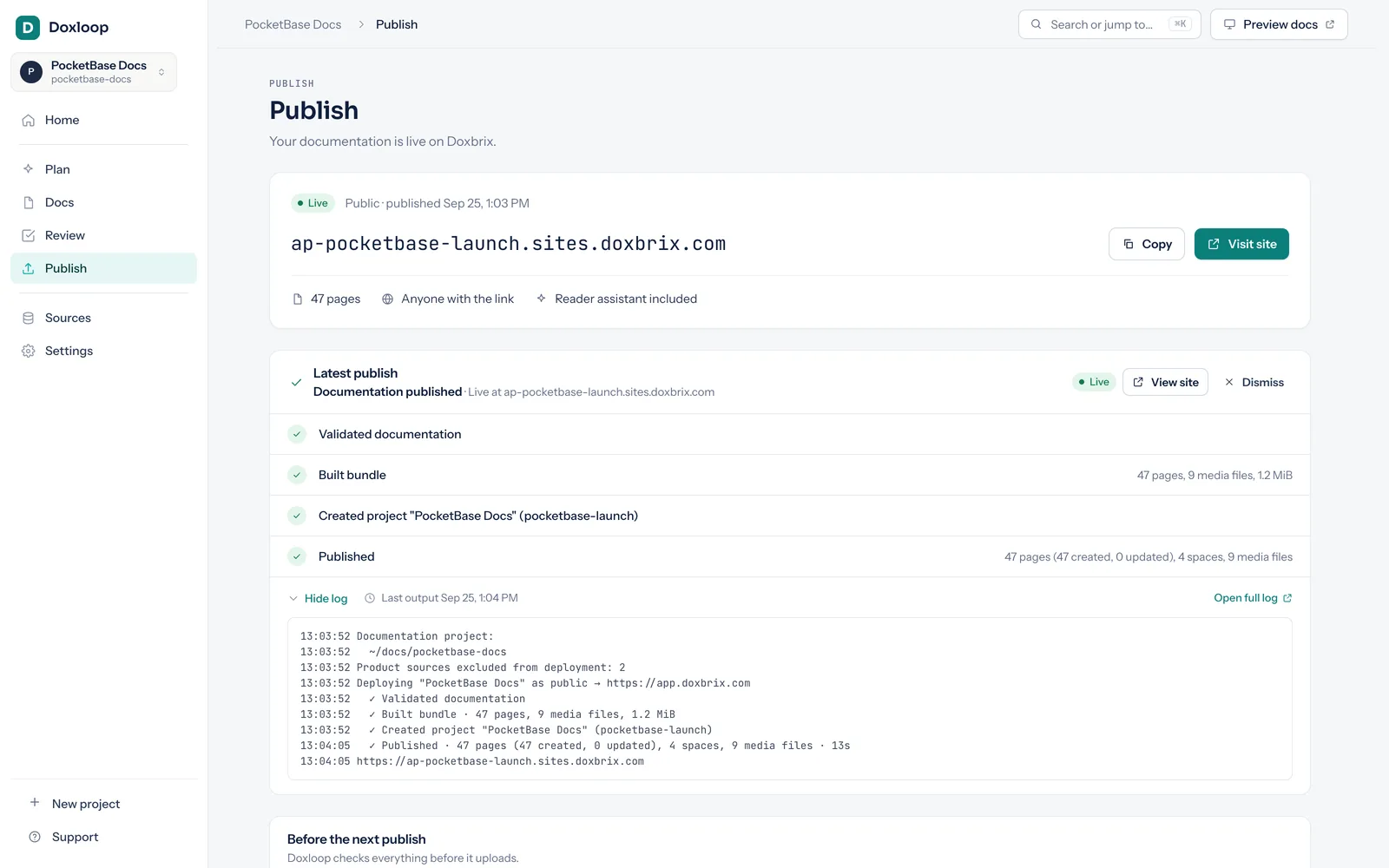
05/ 06 · Publish

Live in about a minute.

Every link, image and navigation entry is checked before you publish. Put the site on Doxbrix for free, public or private, with an AI assistant that answers readers from your docs.

  • Pre-publish checks
  • Free Doxbrix hosting
  • Public or private
Publish page showing the live Doxbrix address and a completed deployment

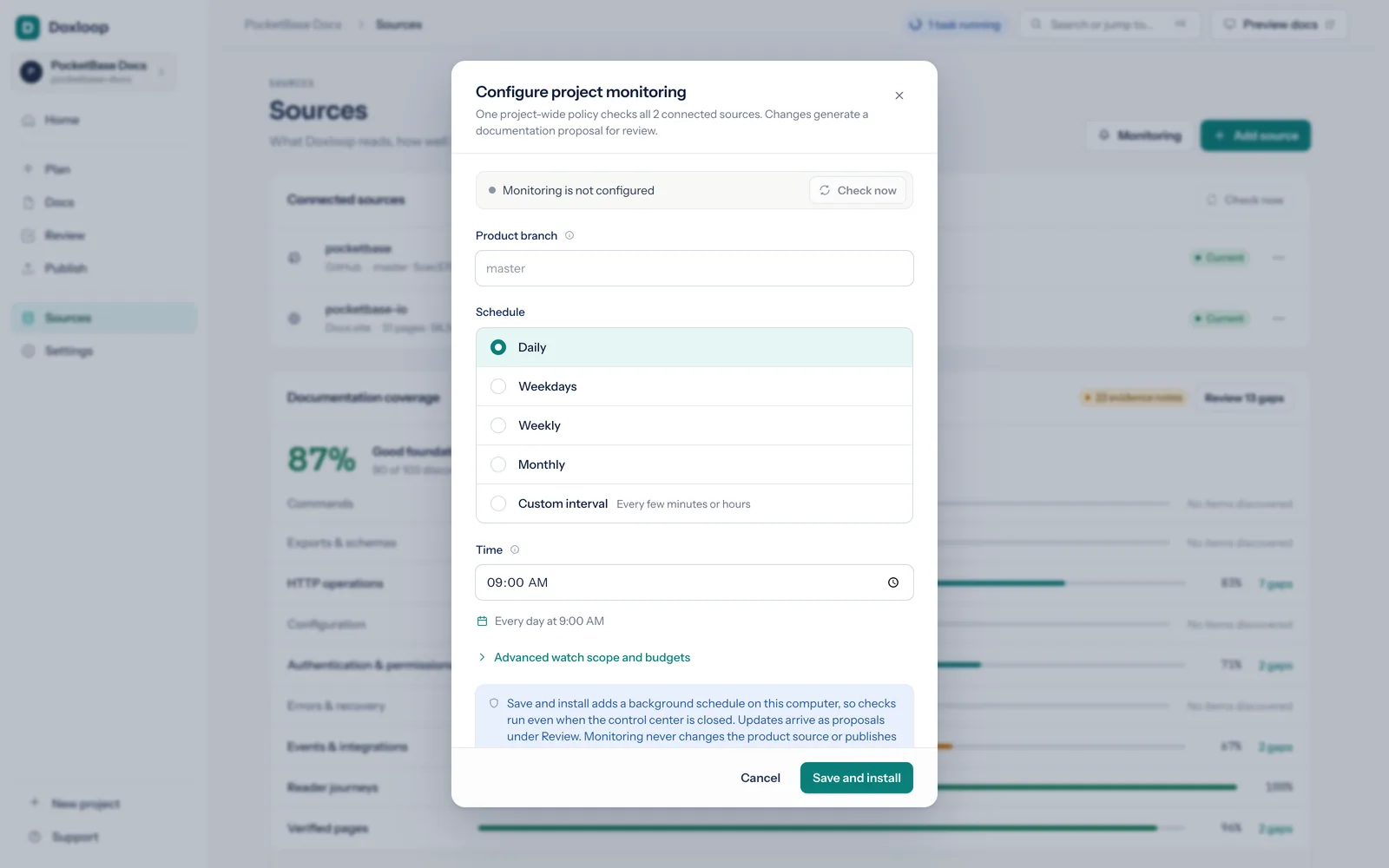
06/ 06 · Watch

Docs that never fall behind.

Monitoring checks your sources on a schedule, names the exact pages a commit made stale, and drafts an update for review. It never publishes on its own.

  • Scheduled checks
  • Stale-page detection
  • Drafted updates
Configure project monitoring with a daily schedule

Getting started

One command. The rest happens in your browser.

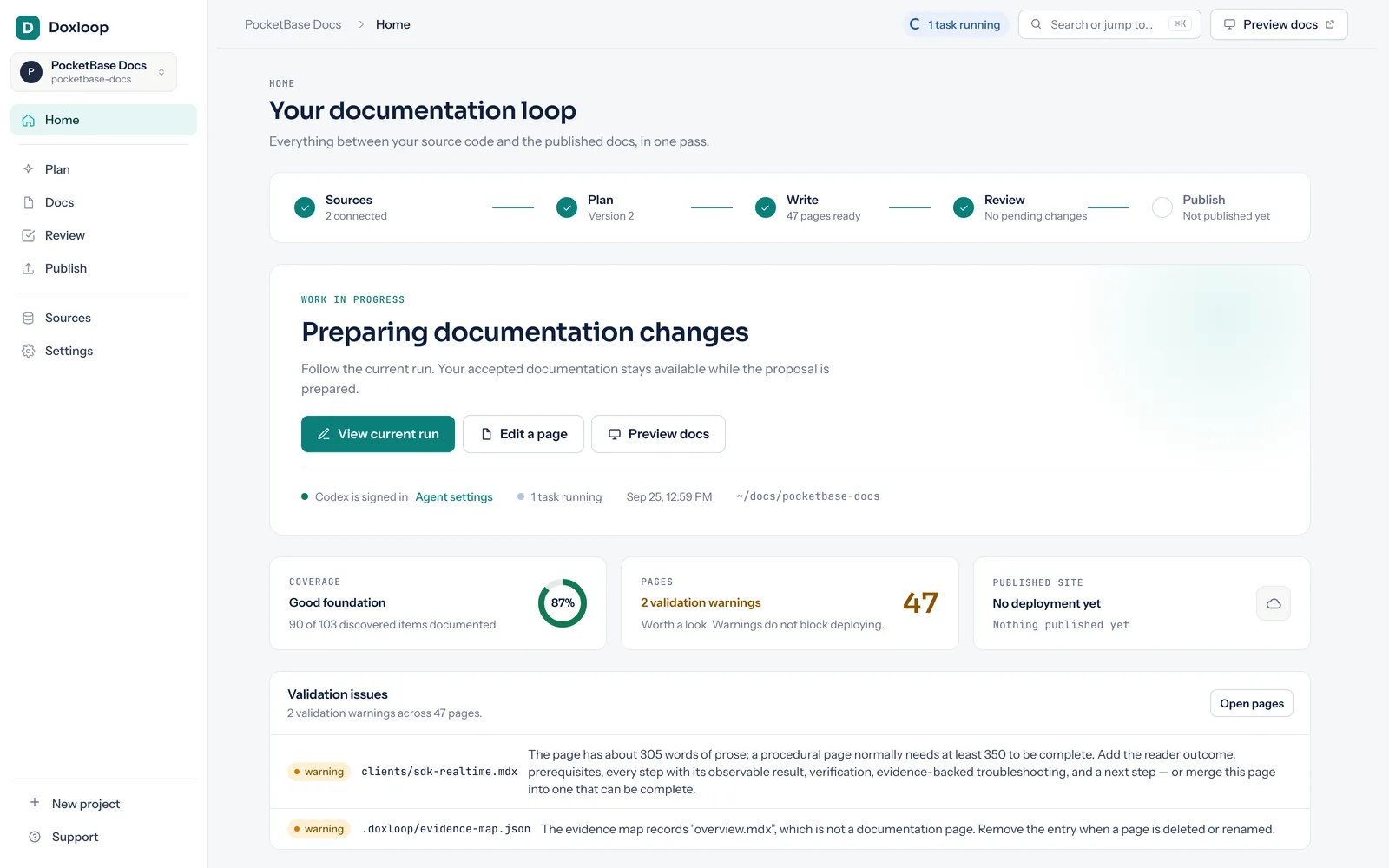
doxloop ui starts a control center on your own machine and opens it. A five-step wizard asks about your sources, your agent and your readers, and creates nothing until the last step.

  • Connects a local folder, a GitHub repository or an OpenAPI URL
  • Installs Codex, Claude Code or Gemini for you if it is missing
  • Runs on your own computer, with nothing to host or configure
~/workspace
$ 
added 1 package in 4s
$ 
● Control center ready on http://127.0.0.1:4317
  Opening your browser…
127.0.0.1:4317
The Doxloop home page showing the documentation loop from sources to publish

Features

Everything a docs team does, done by your agent.

Research, writing, screenshots, checks and upkeep, with you approving every step.

Grounded in your code, not guessed.

Your agent reads code, public interfaces, tests, examples, configuration and OpenAPI documents. Every page records the sources behind it, so Doxloop knows exactly which pages a change affects.

Bring the agent you already use.

Doxloop runs on the subscription you already have. No new API keys. No new bills.

Real screenshots from your running app.

Even behind a sign-in. Each image is checked, then embedded beside the step it explains.

It checks its own work.

Every proposal and every publish is validated. Fixable problems are repaired automatically.

Rewrite the docs you already have.

Doxloop crawls your current docs site, flags claims your code contradicts, and redirects every old URL.

See what is covered, and what is not.

Doxloop maps every product surface it discovers, such as commands, HTTP operations, configuration and errors, to the pages that document it. The PocketBase run reached 87% coverage.

API references from the contract.

Request bodies, status codes and error envelopes come from your OpenAPI spec, not from memory. The RealWorld Conduit run documented 19 of 19 endpoints and 51 of 51 error responses.

Publish free, with an assistant built in.

One click puts your docs on Doxbrix, public or private. Hosting is free, and every site comes with an AI assistant that answers readers from your pages and links to the source.

Edit without waiting for an agent.

Drag the navigation, edit Markdown directly, set your logo, colours and fonts, and write release notes from any two Git refs.

Results

Famous open‑source projects, documented by Doxloop.

We pointed Doxloop at projects developers use every day, straight from their public repositories. Every number below comes from a single run. Open the sites and judge the docs yourself.

Also built with Doxloop:Lodash developer docs from a local checkout, andSwagger Petstore API docs from a public OpenAPI URL.

These are independent sites built from public repositories to show what Doxloop produces. They are not the projects' official documentation.

Security

Your code stays on your side.

Doxloop runs on your own computer and only reads your code. Nothing is sent to us. The only thing that ever leaves is the finished documentation, and only when you choose Publish.

Your coding agent reads your code the same way it does when you code with it, under the account you already have with its provider.

Keep your docs in the loop.

Try it firstThe bundled demo needs no agent and no model charge.

Ready for your own product?

  1. 1Install Doxloop

  2. 2Open the control center, in the folder where your docs should live

Needs Node.js 22.13 or later.